Tanso is an open-source cost and pricing engine for AI products, on one ledger fed from two directions: what you charge the AI you sell (Monetization), and what you spend on the AI you buy (Internal spend). See Concepts for the two-halves model, or keep reading for the Monetization side in detail. Every metered event carries its cost: input/output tokens, model, provider, and what that usage cost you — alongside what you billed for it. Billing tools meter usage but don’t know your costs; observability tools know your costs but don’t bill. Tanso does both in one ledger, so you can see margin per customer, per feature, per model. The same ledger enforces in real time: entitlement checks, usage caps, and credit limits are applied when the event is ingested, not reconciled at invoice time. Billing state lives in Tanso — Stripe is the payment adapter, not the source of truth.

The model

You define your pricing once, and everything else derives from it:

The integration loop

Three calls from your backend:
  1. Check an entitlement before serving a request.
  2. Serve the request.
  3. Report a usage event after.
Tanso enforces limits at ingestion, rolls usage into invoices at cycle close, syncs Stripe when connected, and computes margin from the costs you stamp on events. For the operator side, the repo ships an admin console (ui/): manage the catalog, customers, subscriptions, credits, and invoices, and see margin per customer, per feature, per model.

The other half: your own AI bill

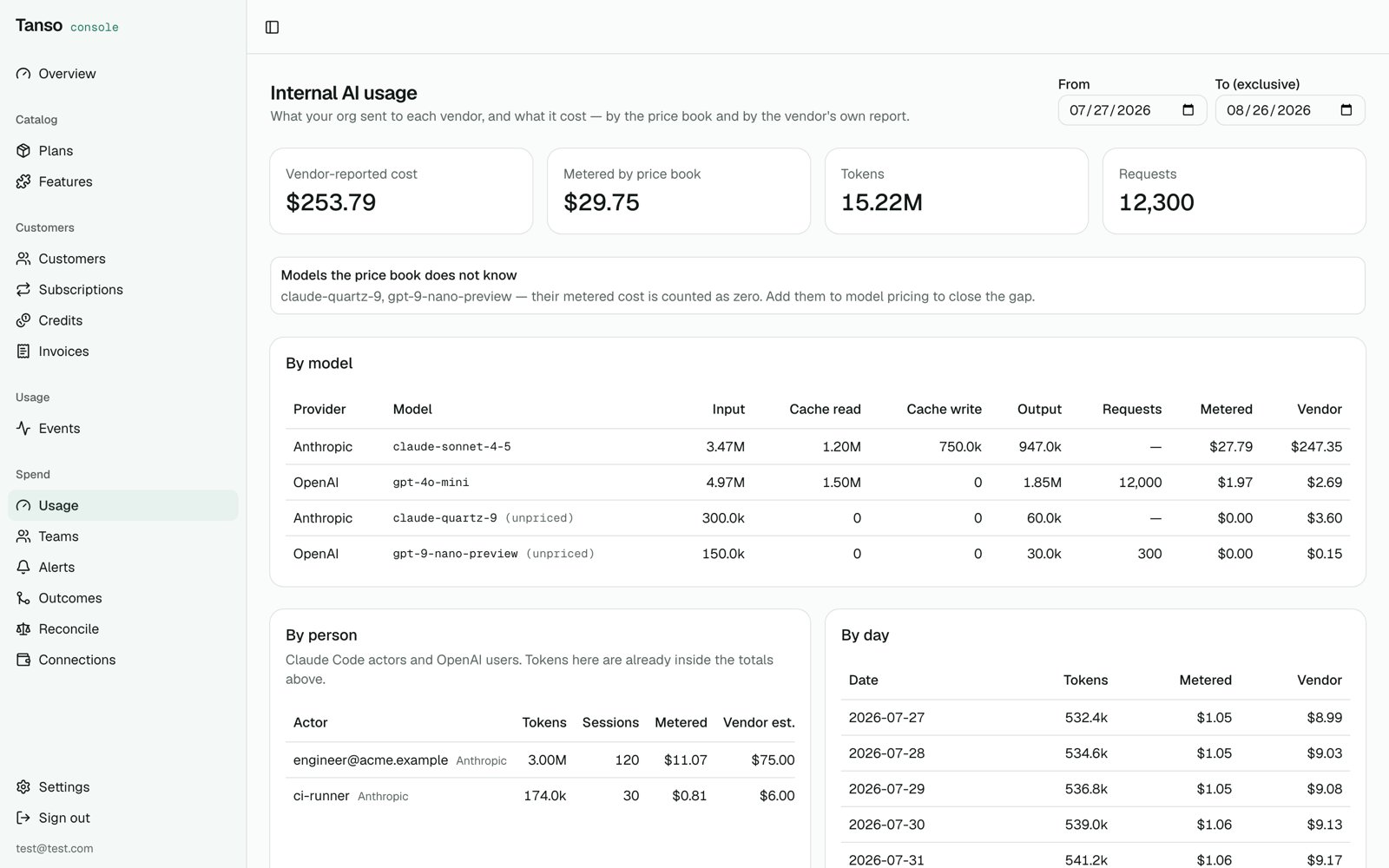
The same engine has a second half, Internal spend. Connect your Anthropic and OpenAI admin keys and Tanso pulls the usage and cost reports the vendors already keep, reconciles them against the invoice, allocates spend to teams and people, budgets it with daily and monthly ceilings, and puts it next to shipped work — cost per merged pull request. No proxy, no desktop agent. See Internal AI spend. Either half runs on its own.
Internal spend: internal AI usage by model, person and day

Next steps

  • Concepts — the two-halves mental model, in one diagram
  • Quickstart — running with seeded data in about five minutes, console included
  • Billing lifecycle — from empty database to first revenue, every call spelled out
  • Internal AI spend — your own vendor bills, allocated, budgeted, and joined to outcomes
  • Self-hosting — configuration and production notes